

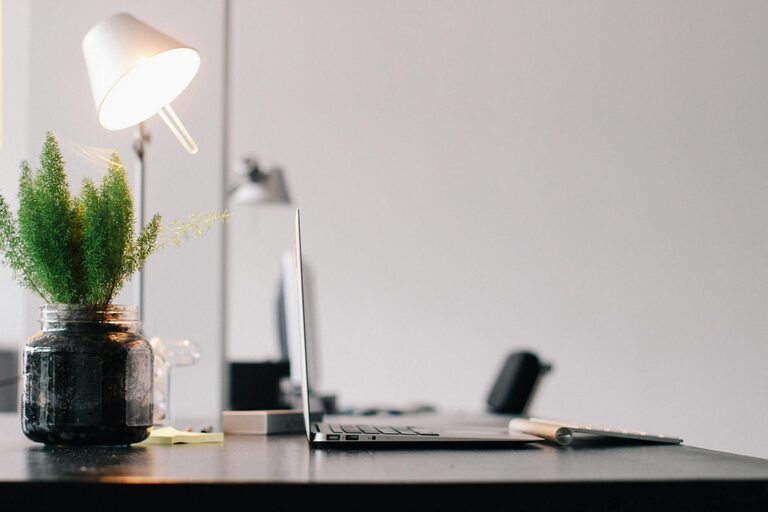
Creating a productive home workspace is essential for anyone working or studying from home. A well-designed environment can help you stay focused, reduce distractions, and maintain a healthy work-life balance. Whether you have a dedicated room or just a small corner of your home, this guide offers practical tips to optimize your workspace for maximum efficiency.
Choose the Right Location
Finding the best spot for your home workspace is the first step. Ideally, select a quiet area away from high-traffic zones like the kitchen or living room. Having a dedicated space helps your brain associate the area with work, making it easier to switch into productivity mode.
If space is limited, consider using room dividers or screens to create a sense of separation. Near natural light sources, such as windows, is preferable because sunlight can improve mood and energy levels.
Invest in Ergonomic Furniture
Comfort plays a significant role in maintaining productivity throughout the day. Invest in an ergonomic chair that provides good lumbar support and adjustability. Pair this with a desk at the proper height to prevent strain on your neck, shoulders, and wrists.
If a traditional desk isn’t feasible, consider alternatives like standing desks or adjustable laptop stands. Use an external keyboard and mouse to reduce the risk of repetitive strain injuries when working on a laptop.
Organize Your Workspace for Efficiency
A cluttered desk can distract and demotivate you. Keep your workspace clean and organized by using storage solutions such as drawers, shelves, or desktop organizers. Allocate specific spots for frequently used items like pens, notebooks, and chargers.
Adopt a simple filing system—whether physical or digital—to manage documents and to-do lists. Labeling folders and storage bins can further simplify finding what you need without wasting time.
Optimize Lighting Conditions
Proper lighting is crucial for reducing eye strain and improving focus. Natural daylight is the best option, so position your desk near a window if possible. When natural light isn’t enough or during evening hours, use adjustable task lighting to illuminate your work area.
Avoid harsh overhead lights or glare on your computer screen by using lamps with diffused bulbs or adjustable brightness. A well-lit space reduces fatigue and helps maintain alertness.
Minimize Distractions
Distractions can severely impact work quality. To reduce interruptions, set clear boundaries with family members or roommates during work hours. Use noise-canceling headphones or play background music or white noise if ambient sounds are disruptive.
Turn off non-essential notifications on your computer and phone to stay focused. Some apps or browser extensions can help block distracting websites during work periods.
Personalize Your Workspace
Adding personal touches to your workspace can increase your motivation and comfort. Consider incorporating plants, artwork, or photos that inspire you. Greenery, in particular, has been shown to reduce stress and improve air quality.
However, avoid overdecorating as too many items can become distracting. Strike a balance between personalization and simplicity to create an environment that feels inviting yet professional.
Establish a Routine and Take Breaks
Having a structured work routine helps maintain productivity. Set clear start and end times for your workday and include regular breaks to avoid burnout. Use techniques like the Pomodoro method—working in focused intervals followed by short rests—to stay energized.
During breaks, step away from your desk to stretch, hydrate, or take a brief walk. This helps refresh your mind and improve concentration when you return.
Use Technology Wisely
Equip your workspace with necessary technology that enhances productivity. A reliable internet connection, a quality webcam and microphone for virtual meetings, and the right software tools can make remote work smoother.
Keep cables tidy using clips or sleeves to avoid hazards and clutter. Regularly update your devices and apps to ensure optimal performance and security.
Maintain Work-Life Balance
One challenge of working from home is separating professional tasks from personal time. Keep your workspace distinct from relaxation areas and avoid working from your bed or couch.
When your workday ends, shut down your computer and physically leave your workspace if possible. This clear boundary signals the end of work and helps you unwind.
—
By following these tips, you can create a home workspace that supports your productivity and well-being. A thoughtful setup encourages focus, minimizes distractions, and promotes comfortable, efficient work habits—all crucial for success when working from home.