

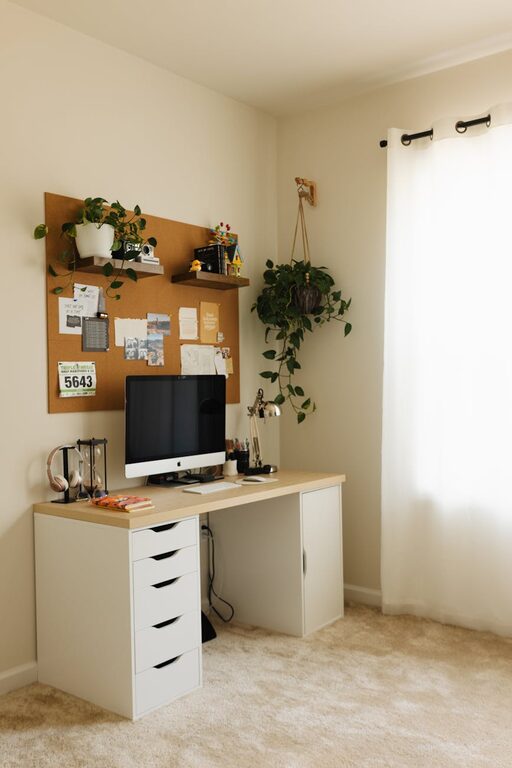
Creating a productive home office environment is essential for anyone who works remotely or spends a significant amount of time on personal projects at home. When your workspace promotes focus, comfort, and efficiency, it can greatly improve your work performance and overall well-being. In this article, we’ll explore practical tips to help you design and maintain a home office that supports productivity.
1. Choose the Right Space
Find a Dedicated Work Area
If possible, pick a space separate from high-traffic or noisy areas like the kitchen or living room. A dedicated room or quiet corner allows you to focus without distractions.
Consider Natural Light
Try to set up your office near a window. Natural light helps reduce eye strain and boosts mood. If natural light is limited, use bright, adjustable lighting options.
2. Invest in Ergonomic Furniture
Comfortable Chair
An ergonomic chair supports your posture, reduces back pain, and helps you stay comfortable during long work sessions.
Functional Desk
Choose a desk with enough surface area to hold your computer, documents, and other essentials. Adjustable desks that allow you to switch between sitting and standing can also improve focus and health.
3. Organize Your Space Efficiently
Declutter Regularly
Keep only the items you need on your desk. Clutter can distract you and make it hard to find important things.
Use Storage Solutions
Drawers, shelves, and filing cabinets help keep papers, supplies, and gadgets organized and out of the way but within easy reach.
Manage Cables
Use cable organizers or clips to prevent wires from tangling, making your workspace cleaner and safer.
4. Minimize Distractions
Limit Noise
Use noise-canceling headphones or white noise machines if background noise is an issue. Alternatively, designate quiet hours in your household.
Set Boundaries
Communicate your work hours to family or roommates to reduce interruptions. A simple sign on your door can remind others when you need to focus.
Control Digital Distractions
Turn off non-work notifications or use apps that block distracting sites during work periods.
5. Personalize Your Workspace
Add Plants
Indoor plants can improve air quality and provide a calming effect, which can help lower stress.
Incorporate Inspiring Decor
Pictures, artwork, or motivational quotes can make your workspace feel welcoming and inspiring.
Maintain Comfort
Keep items like a small fan, heater, or cozy blanket nearby to stay comfortable year-round.
6. Optimize Technology Setup
Reliable Internet Connection
A fast and stable internet connection is crucial for remote work, video calls, and research.
Necessary Hardware
Ensure your computer, monitor, keyboard, and mouse are appropriate for your work needs and ergonomics.
Backup Solutions
Use cloud storage or external drives to protect your documents and files against data loss.
7. Establish a Routine
Set Regular Work Hours
Consistent start and stop times help build work habits and improve focus.
Take Breaks
Incorporate short breaks to stretch, move around, or refresh your mind. Following the Pomodoro Technique (25 minutes of focused work followed by a 5-minute break) can be effective.
Plan Tasks
Use to-do lists or digital planners to organize your daily goals and prioritize your workload.
8. Maintain Good Air Quality and Lighting
Ventilation
Ensure your workspace is well-ventilated to keep air fresh and reduce fatigue.
Proper Lighting
Avoid harsh overhead lights that cause glare. Use desk lamps with adjustable brightness to reduce eye strain.
—
By following these tips, you can create a home office environment that encourages productivity, supports comfort, and helps you maintain a healthy work-life balance. Remember, a workspace that suits your personal needs and preferences makes working from home more enjoyable and effective.